

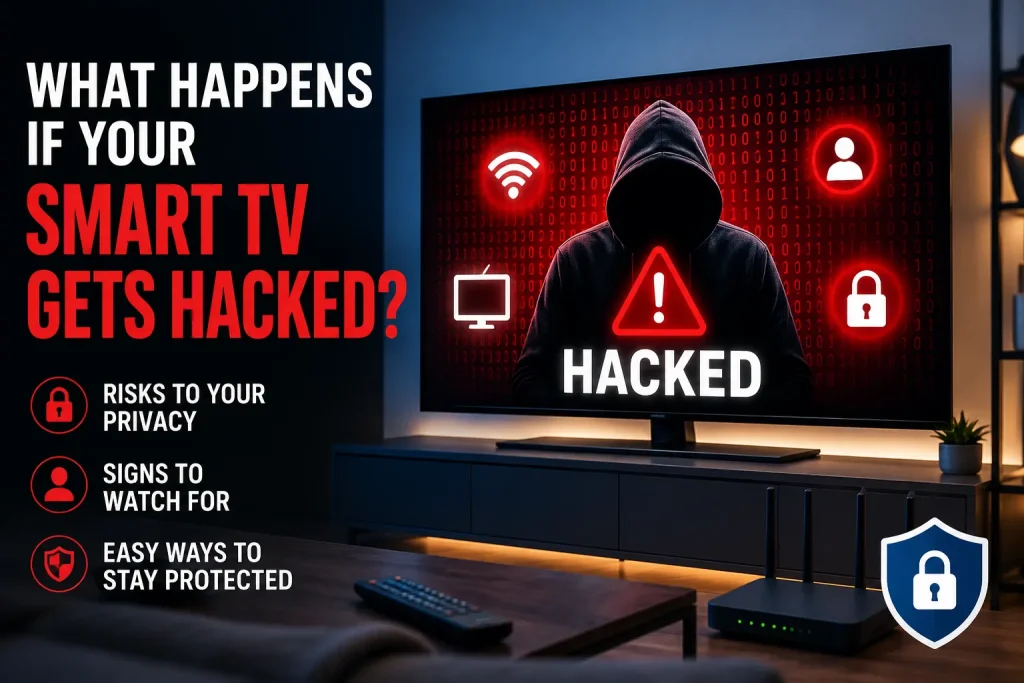
Smart TVs have become an essential part of modern entertainment in Sweden. They provide access to streaming platforms, apps, games, voice assistants, and smart home features from a single device. However, their internet connectivity also makes them a potential target for cyber threats.
If your Smart TV Gets Hacked, hackers may gain access to your personal information, streaming accounts, connected devices, or even your home network. While these attacks are not extremely common, they are possible when software is outdated, passwords are weak, or unknown apps are installed.
In this guide, you’ll learn how hackers target Smart TVs, the warning signs to watch for, potential risks, and the best ways to keep your television secure.
Unlike traditional televisions, Smart TVs run operating systems and connect to the internet through Wi-Fi or Ethernet. Many also include:
Every connected feature creates another possible entry point if security isn’t maintained.
Manufacturers regularly release firmware updates to fix security vulnerabilities.
Ignoring updates may leave your television exposed to known exploits.
If someone gains access to your wireless network, they may also reach devices connected to it—including your Smart TV.
Installing apps from unofficial sources can introduce malware that steals data or changes device settings.
Hackers often target reused passwords from leaked databases.
If your streaming login is compromised, attackers may access viewing history or payment information.
Connecting your television to unsecured public Wi-Fi during travel increases security risks.
Watch for these unusual behaviors:
| Warning Sign | Possible Cause |
|---|---|
| Apps open automatically | Malware or remote access |
| TV restarts without reason | Malicious software |
| Unknown apps appear | Unauthorized installation |
| Camera or microphone activates unexpectedly | Privacy breach |
| Slow performance | Hidden background activity |
| Settings change automatically | Remote control access |
| Higher internet usage | Suspicious network traffic |
| Pop-up advertisements | Adware infection |
One symptom alone doesn’t always indicate hacking, but multiple signs deserve attention.
A compromised television can create several security and privacy problems.
Many Smart TVs store:
Hackers may attempt to collect this information.
Attackers may log into entertainment services using saved credentials.
This could result in:
Some Smart TVs include:
Although manufacturers include privacy protections, malware could potentially misuse these features on vulnerable devices.
Once attackers gain access to one internet-connected device, they sometimes attempt to scan the home network for:
This is why protecting every connected device matters.
Consider these steps:
Remove unfamiliar applications.
Verify:
Sign out of unknown sessions.
Install the latest firmware available from your TV manufacturer.
If your router provides connected device logs, monitor unusual traffic.
If problems continue, a complete factory reset removes most unwanted software.
Remember to reinstall apps only from official stores.
Enable automatic updates whenever possible.
Security patches are your first line of defense.
Avoid simple passwords like:
Instead, use long, unique passwords for every account.
Where supported, activate 2FA for streaming accounts and email accounts linked to your television.
Avoid third-party APKs or unofficial downloads.
Use:
If unnecessary, turn off:
Reducing active services lowers potential risk.
| Best Practice | Security Benefit |
|---|---|
| Update firmware | Fixes vulnerabilities |
| Strong passwords | Prevents account theft |
| Official apps only | Reduces malware risk |
| Secure Wi-Fi | Protects connected devices |
| Factory reset before selling | Removes personal data |
| Review permissions | Improves privacy |
| Enable 2FA | Adds account protection |
Cybersecurity is becoming increasingly important as streaming devices handle more personal data.
If you’re interested in how entertainment technology continues to evolve, read our guide on The Rise and Possible Fall of Streaming Bundles to understand changing digital viewing trends.
If your television displays video but nothing loads properly, our article on Streaming App Black Screen explains practical troubleshooting steps that can help identify whether the issue is technical rather than security-related.
Although most Smart TVs operate safely, internet-connected devices always require basic cybersecurity practices. If your Smart TV Gets Hacked, the consequences can range from stolen streaming accounts to broader privacy concerns. Fortunately, simple habits—such as keeping software updated, using strong passwords, downloading apps only from trusted sources, and securing your home network—can significantly reduce the risk.
By staying proactive, you can enjoy your favorite entertainment with greater confidence while protecting both your personal information and your connected devices.
Yes. Like any internet-connected device, a Smart TV can be targeted if it has outdated software, weak passwords, or unsafe apps installed. Keeping it updated greatly reduces the risk.
Common signs include unknown apps, unexpected restarts, settings changing on their own, unusual advertisements, or suspicious account activity.
Some Smart TVs include built-in cameras. While manufacturers implement security protections, disabling the camera when not in use and keeping firmware updated provides additional peace of mind.
Yes. After backing up necessary information, performing a factory reset and reinstalling only trusted applications is a recommended step if you suspect compromise.
Keep software updated, use strong passwords, enable two-factor authentication where available, install apps only from official stores, and secure your home Wi-Fi network.
Want to enjoy a safer and smoother entertainment experience? Visit IPTVKUNGEN for more practical guides on streaming technology, device security, troubleshooting tips, and the latest trends to help you get the most from your Smart TV.

Jag är Damian Cross, en skribent inom streamingteknik med fokus på OTT-plattformar, videodistribution, streamingprestanda och innovationer inom digitala medier.


